Agents on your phone
Your agents work while you are away from your computer. The phone is for the three things that can't wait: a yes, a no, and stop.
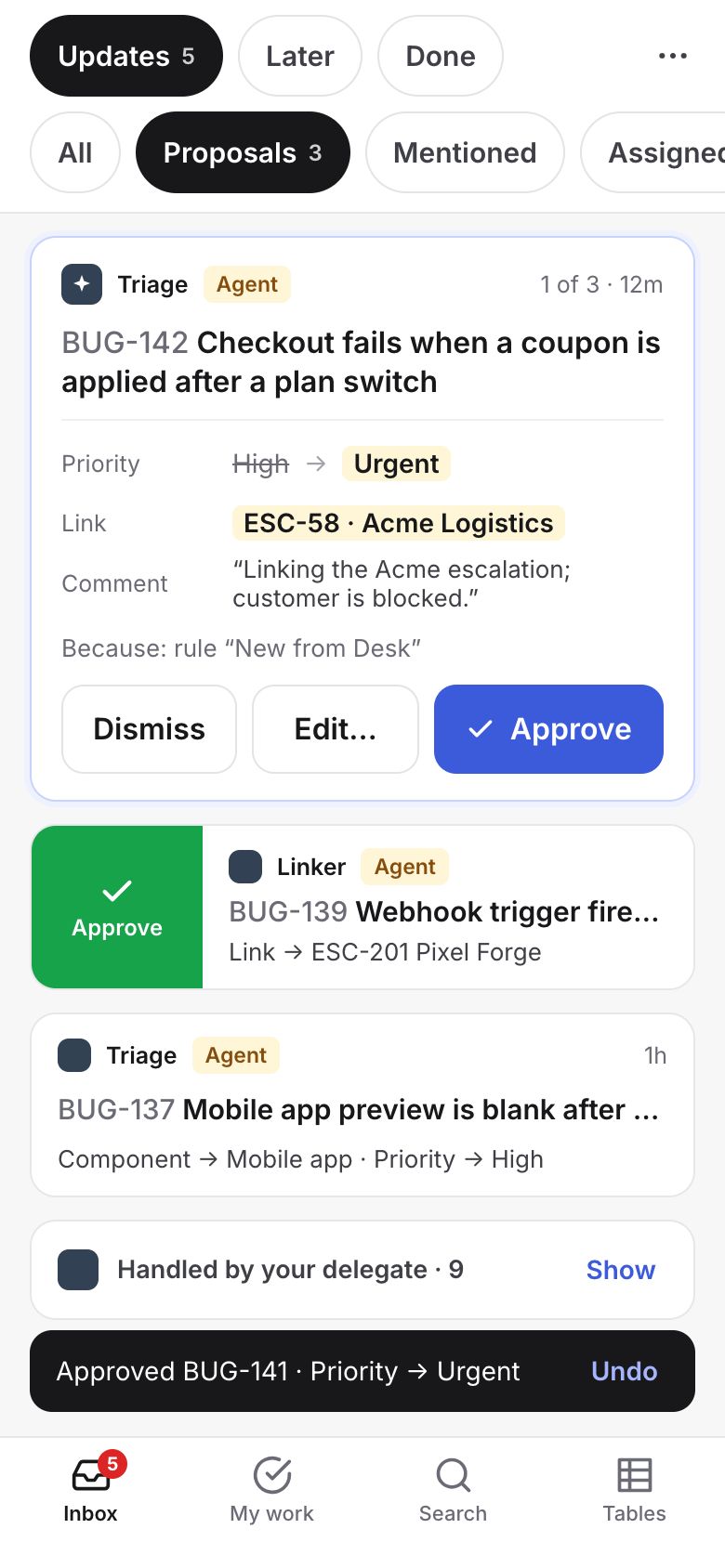
A yes or a no
Proposals arrive in your DoInbox, one row for each record that needs you, not your email, the same as on a computer. Each shows what would change, with Approve and Dismiss under your thumb. Approve lands the change with Undo. Approve, dismiss, undo
Stop
DoAgents on the phone lists your agents, each with its tasks, its runs this week and an on/off switch. My delegate's page, from your DoInbox's More menu, has one big button: Pause for today, then Resume my delegate. When it stops itself
See what it did
My delegate's page shows what it handled in the last seven days, what waits for you and what you undid. Drafted replies always wait for you. On any record, the agent's changes are in its history, with Undo.
What the phone does not do
Making an agent, giving it a task, changing a task and fixing a setup wait for a computer: the phone says "New tasks and changes to a task are on a computer." Nothing important is changed by a thumb on a train. Dashboards and agents on the phone