Records and tables
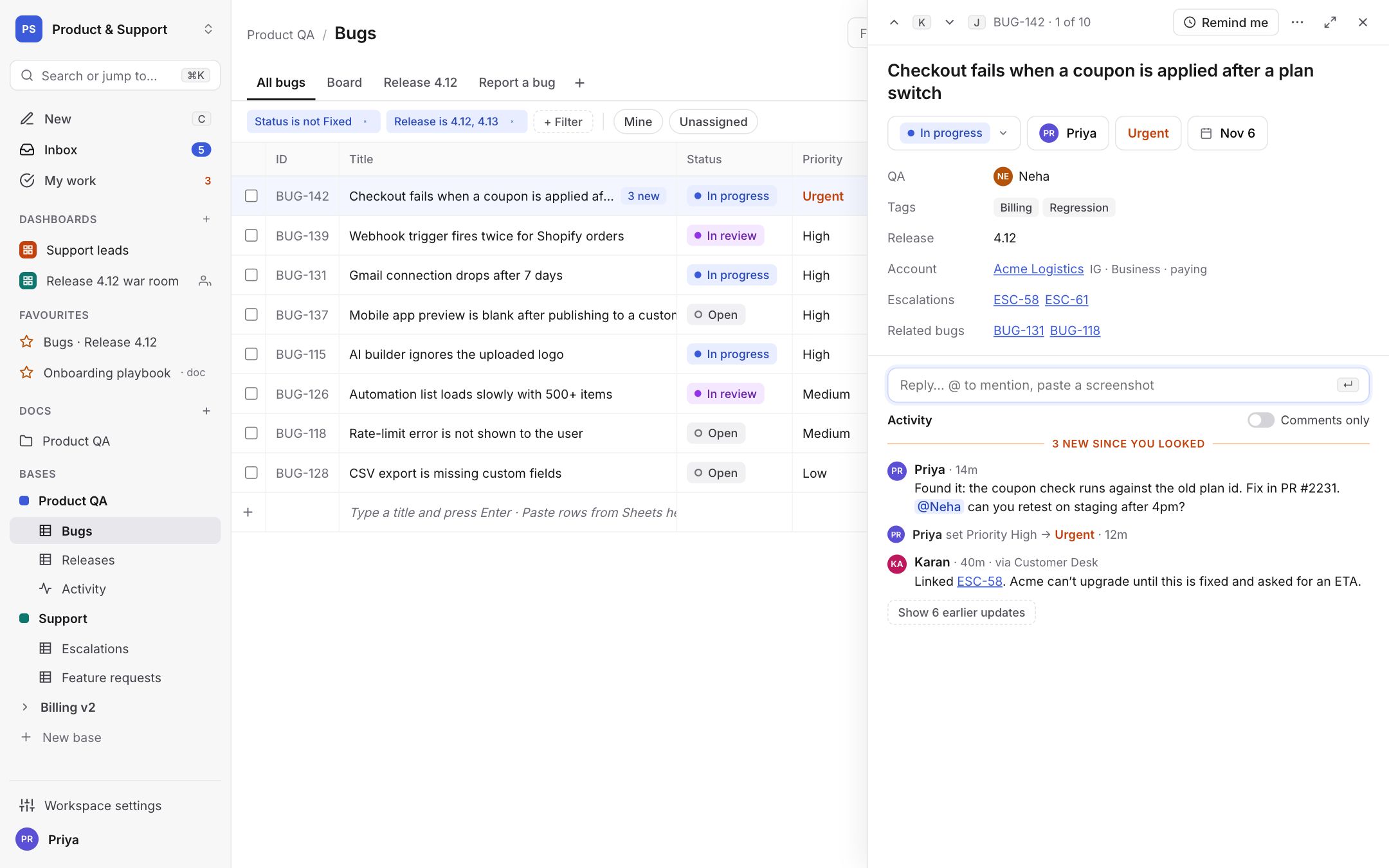
Anything you track is a record: a request, a deal, a bug, a candidate, a to-do. A record has a number people can say out loud, like REQ-12, fields that hold its facts, a timeline of what happened to it, and the people who follow it. Say the number in a meeting and everyone opens the same thing.
A table holds one kind of thing
Requests go in a Requests table, customers in a Customers table. Each table has its own fields, its own views and its own prefix for numbers. When one thing belongs to another, link them: a request to its customer, a bug to its release. Both sides show the link. Links between tables
A base holds one area of work
A base is a folder of tables that belong together: Support holds Requests and Customers; Product holds Bugs and Releases. A base is also where access is set and where a project lives, with its activity feed. Make a base per area of work, not per table, and not per person.
Making a table in a minute
Open New table, name it, and pick a start: Blank, Template, Describe it, or Paste or import. Describe it turns a sentence into drafted fields. Paste or import turns rows from a spreadsheet or a CSV file into a table with field types guessed. You can change everything later, and nothing needs a settings page first. Open New table
Opening a record
Select a row and press Space, or click Open at the end of its name, and the record opens as a peek over the list, so you keep your place. Press ⌘ Enter or use the full page button for the whole page: fields, related records, files, and the whole timeline. Every record has a link you can paste anywhere.
What every record has
- A number and a title. The number never changes, even if the title does. Record numbers
- Owner, created and updated. Who and when, kept for you.
- A timeline. Comments, changes to the fields that matter, links made, buttons pressed, what an agent did and why. People and agents
- Followers. You follow a record when you create it, comment on it, are mentioned on it or are put on it in a people field. Followers get a row in their Inbox when something matters. The Inbox