Ask first, or let it act
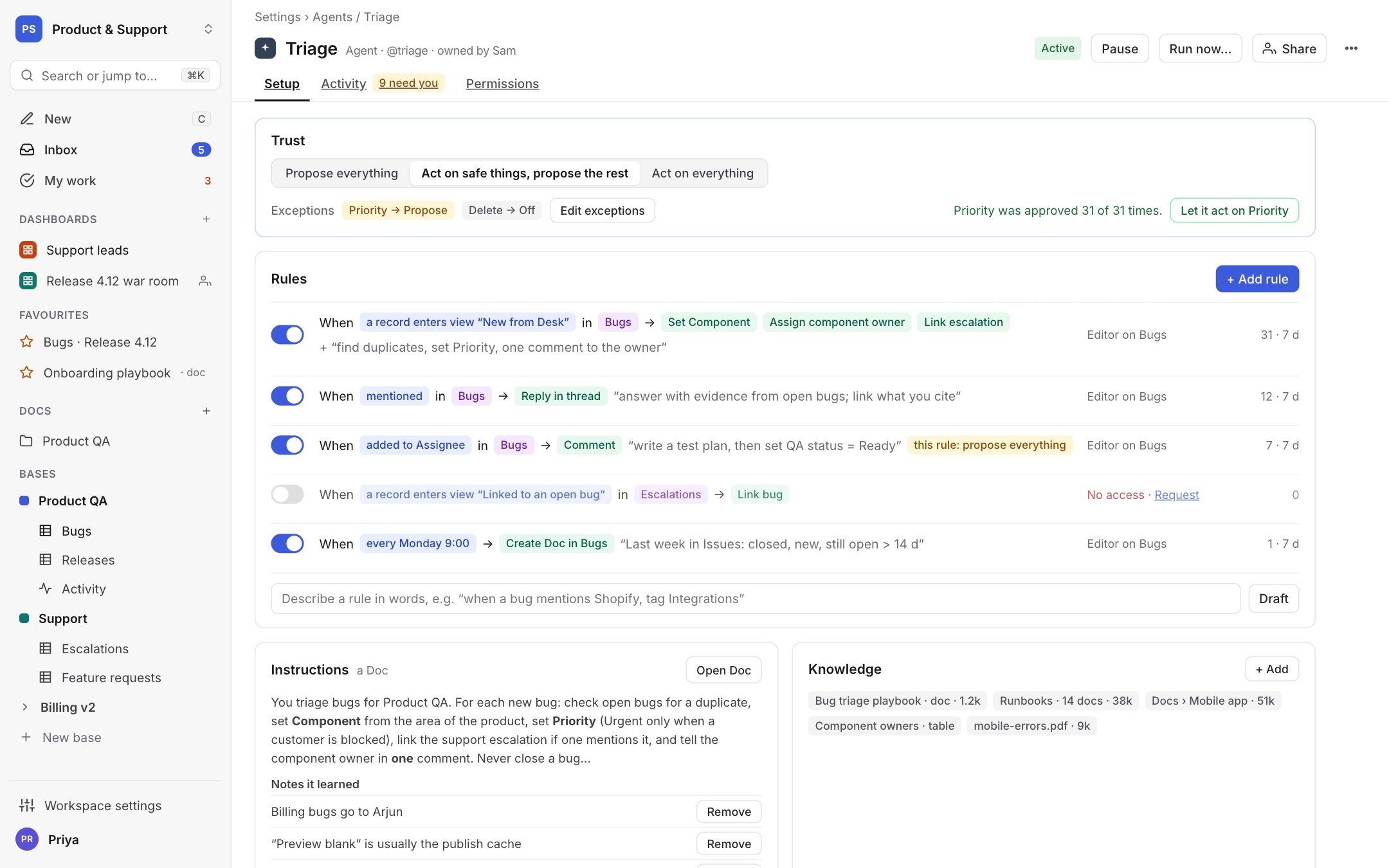
A task is made of steps. Steps you set up, like "set Status to Done" or "remind the assignee", always run as you built them. Some steps let the AI decide. One switch on the agent says whether those decisions wait for you.
The switch
Ask you before it changes anything is in the agent's Data & permissions. It is off for a new agent: the agent acts on its own, like an automation. Turn it on and every change the AI decides waits in your DoInbox for Approve or Dismiss. Steps you set up still run.
One task can be stricter than its agent: in its More options, Before it acts can say Always ask first.
What it may decide on its own
- Read, comment, edit and create records in its bases, assign people and notify members.
- Use an app, call a webhook or press a button only where a task has that step.
- Never delete. Only a step you set up can delete.
Some things always ask
Whatever the switch says, an agent only proposes a change on another record linked to the one it is on, and a line for its own Notes. Check back later
Big changes always ask
When the AI in one run would change more than 25 records, the run asks first and shows what it would change. Steps you set up, like a nightly clean-up, don't count.
Undo
Anything it changed can be undone for 7 days, from the run or from the record. Approve, dismiss, undo