Your first hour, together
One base, your team inside it with the right roles. In an hour the work is in records, the updates are in one DoInbox instead of email threads, and the lead has one page to look at. The list ticks itself as you go.
The seven steps
-
Make a base and its first table. A base is one area of work: Support, Product, Hiring. Make a table in it from Blank, a template, a description or a paste. Open New table
-
Add the fields that matter. Status as a picklist, Owner as a people field, a date, a long text. A short prefix gives records numbers like
REQ-12. Open the field picker -
Add the first records. Paste from the sheet you use today.
-
Invite your team. Open Share
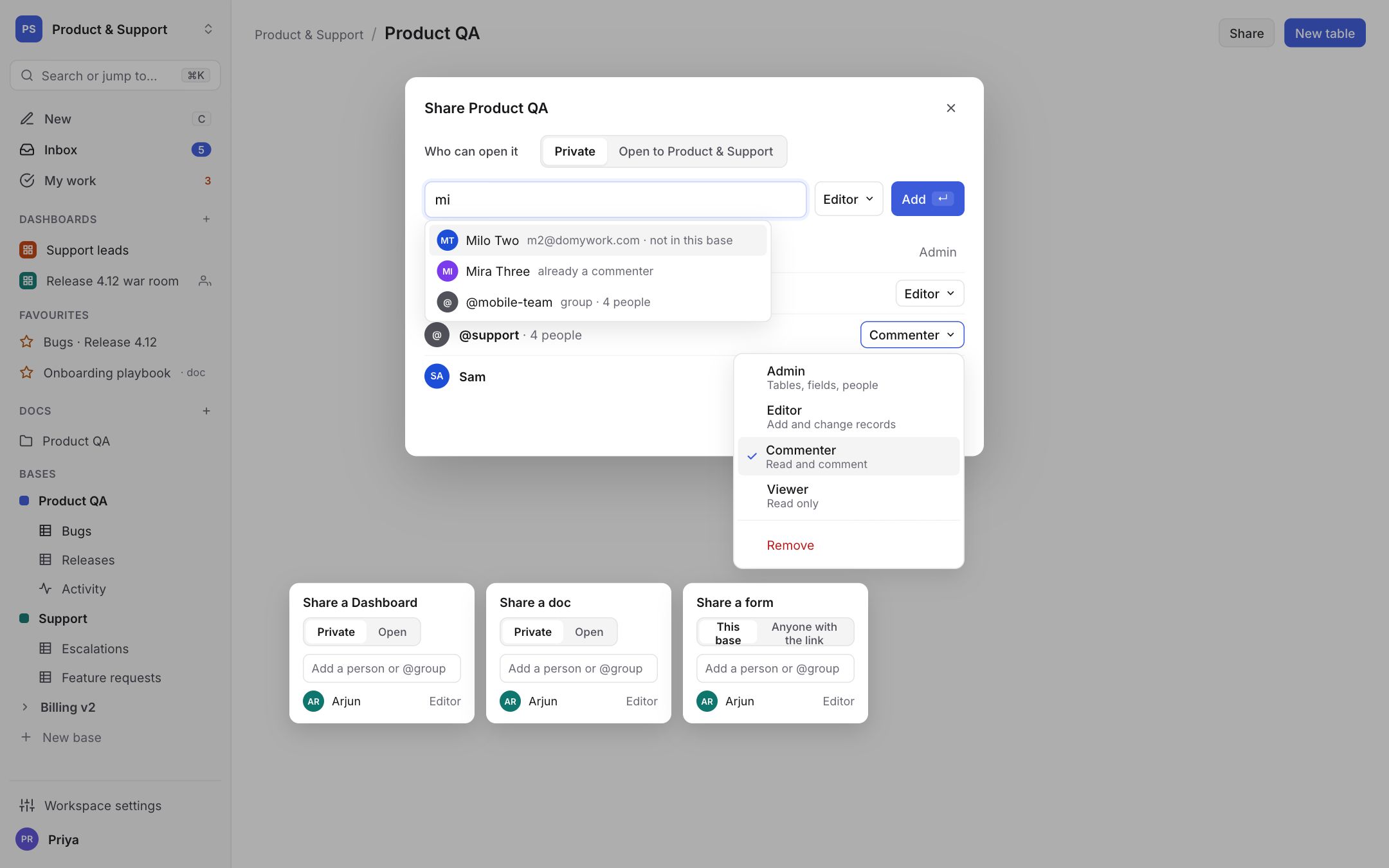
The Share dialog for a base, Private, with people and their roles and the role meanings in the menu. Share the base. Private: only people you add can open it. Open: everyone in the workspace is in with a default role. Admins run it, Editors change records, Commenters talk, Viewers read.
-
Save a view for each job. Filter the grid to "mine, not done" and save it; add a board grouped by Status.
-
Pin a shared Dashboard. Put the board and an "oldest open first" view on one Dashboard for the lead. Each number opens its records. Open Dashboards
-
Make one agent. Open DoAgents, choose New DoAgent and describe a chore in a sentence; to watch it first, turn on Ask you before it changes anything in its Data & permissions. Open DoAgents
Your DoInbox is not your email
A request usually means three windows: the tool, the email thread, the chat asking for an update. Your DoInbox replaces all three with one row per record that needs you: a mention, a people field you were added to, a reply in your thread, a change that matters on a record you follow. The record is beside the row, so you answer and change things there, and everyone on it sees it at once. Your own actions never land there.
Done clears a row and opens the next. Later hides it until you say. Email reaches your mail only for what you have not seen, and you can pause it. Open Notifications
Go further
- Sharing: Private and Open bases. The four roles.
- Why you stop reading email about work. The Inbox, its three tabs, and what still reaches your mail.