The record page
Click a row anywhere, in a grid, your Inbox, a Dashboard, and the record opens as a peek over the list. You see the fields, the timeline and the comment box, act, and press Esc to be back where you were. In a grid, Space opens the peek and j and k step to the next and previous record. Press ⌘ Enter, or use the full page button, for the full page.
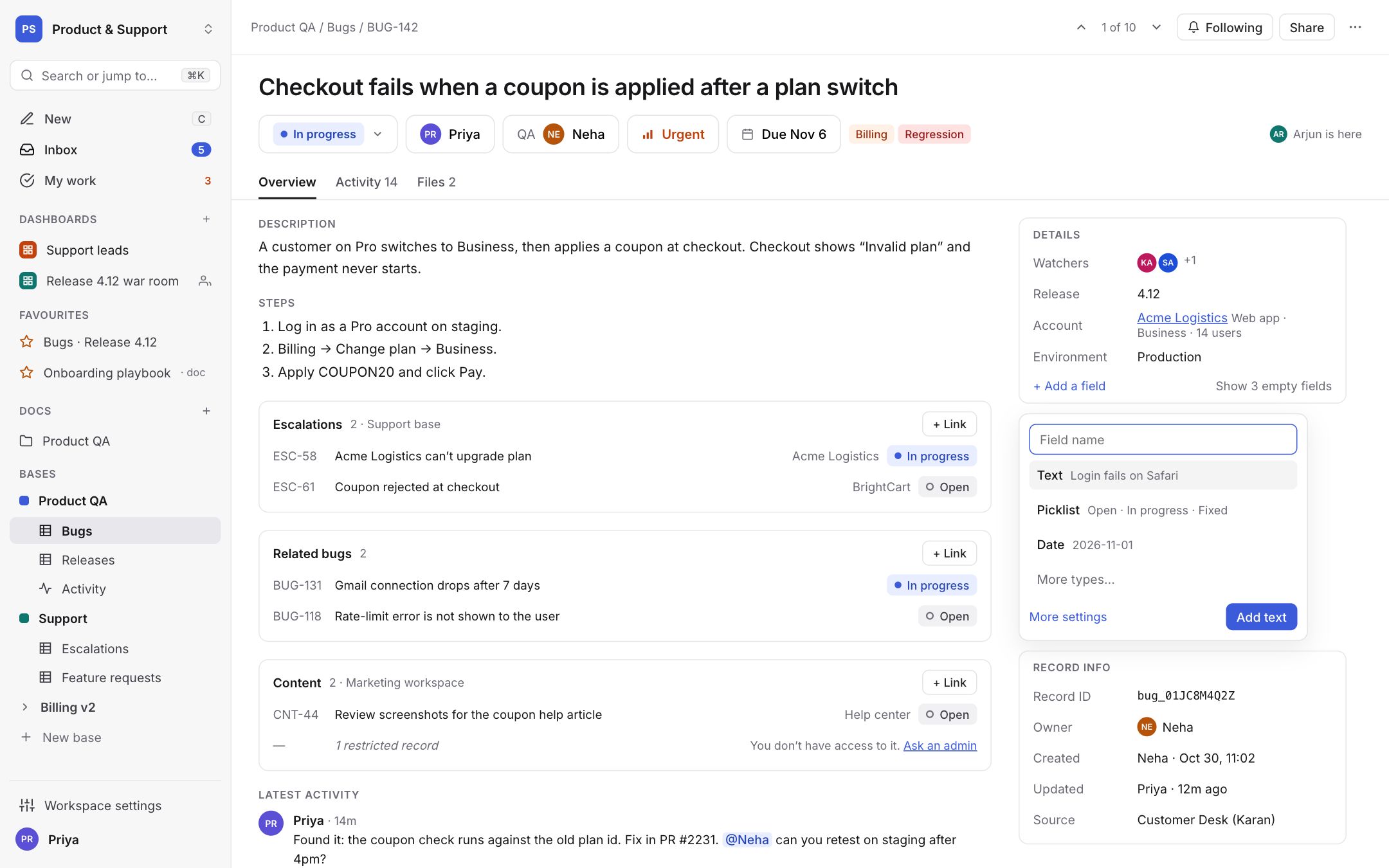
What is on it
- The header. Number, title, and the fields that matter most as chips: status, assignee, priority, due.
- Overview. The description, the related records, the latest activity, then Details with every other field.
- Activity. The whole timeline: comments, changes to fields that matter, links made, buttons pressed, what an agent did and why. People and agents
- Files. Everything attached, including screenshots pasted into comments.
Every field is edited where it is shown. There is no edit mode and no Save button. A change shows at once and rolls back with a toast if it could not be saved.
Comments
Write, @mention a person, a group or an agent, and paste a screenshot. A mention gives that person a row in their DoInbox. A reply in a thread stays with the thread. Ask for a rewrite of your own comment before you post it: simpler, shorter, fix grammar, or your own instruction.
Who else is here
Avatars show who else has this record open right now, and a line says who last changed it. Changes by others appear as they happen. Live and together
Put what matters first
Drag fields on the page into the order your team reads them. Only a base Admin can, and the order is saved for everyone. Settings › Layout shows the whole page, sections included, and Back to default undoes it. Table settings
Every record has a link
Copy link from the ⋯ menu and paste it in chat or a doc. Say the number out loud instead: BUG-142 opens from ⌘K. Record numbers