Projects
A project needs a list of things to do, a page that says how it is going, and a way to catch up after two days away. In DoMyWork a project is a base: its to-dos are records, its Home is a Dashboard, its docs sit in the base's folder. Nothing new to learn, nothing to set up twice.
To-do lists
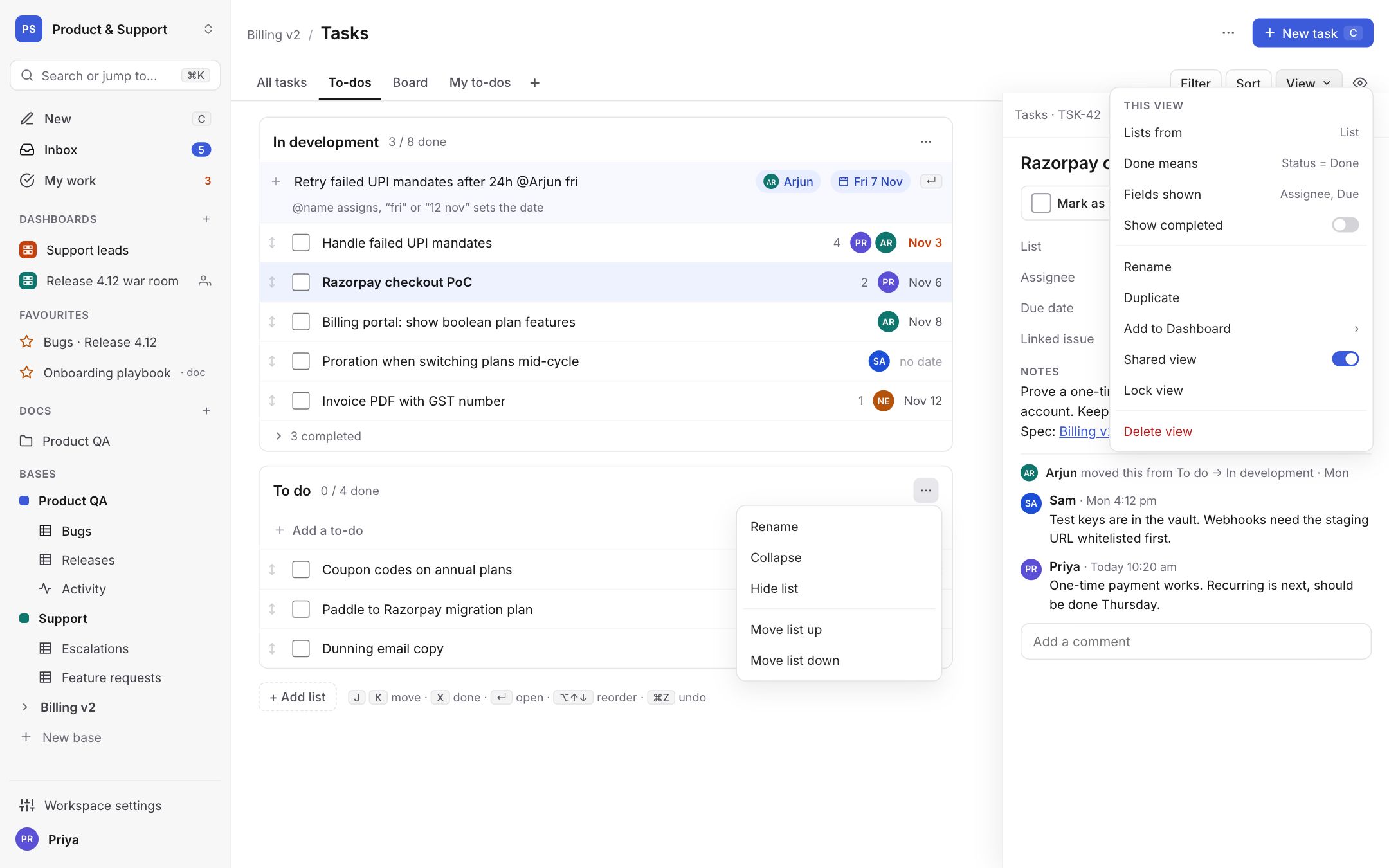
A to-do list is a view. Lists come from a field, usually Status; add a list and the field gets a choice. The checkbox is the action: tick and the to-do moves to done, struck through and folded under "4 completed". Due dates in the past turn red.
Add a to-do on the line at the bottom of its list. Enter saves and opens the next line. Type @maya to assign and fri or next week to set the date; both show as chips before you save. Paste twenty lines and you get twenty to-dos.
Drag to reorder inside a list, or into another list. From the keyboard: j and k move, Space or x ticks, Enter opens, c adds to the current list, and ⌥↑ and ⌥↓ move a to-do up or down.
The project's Home
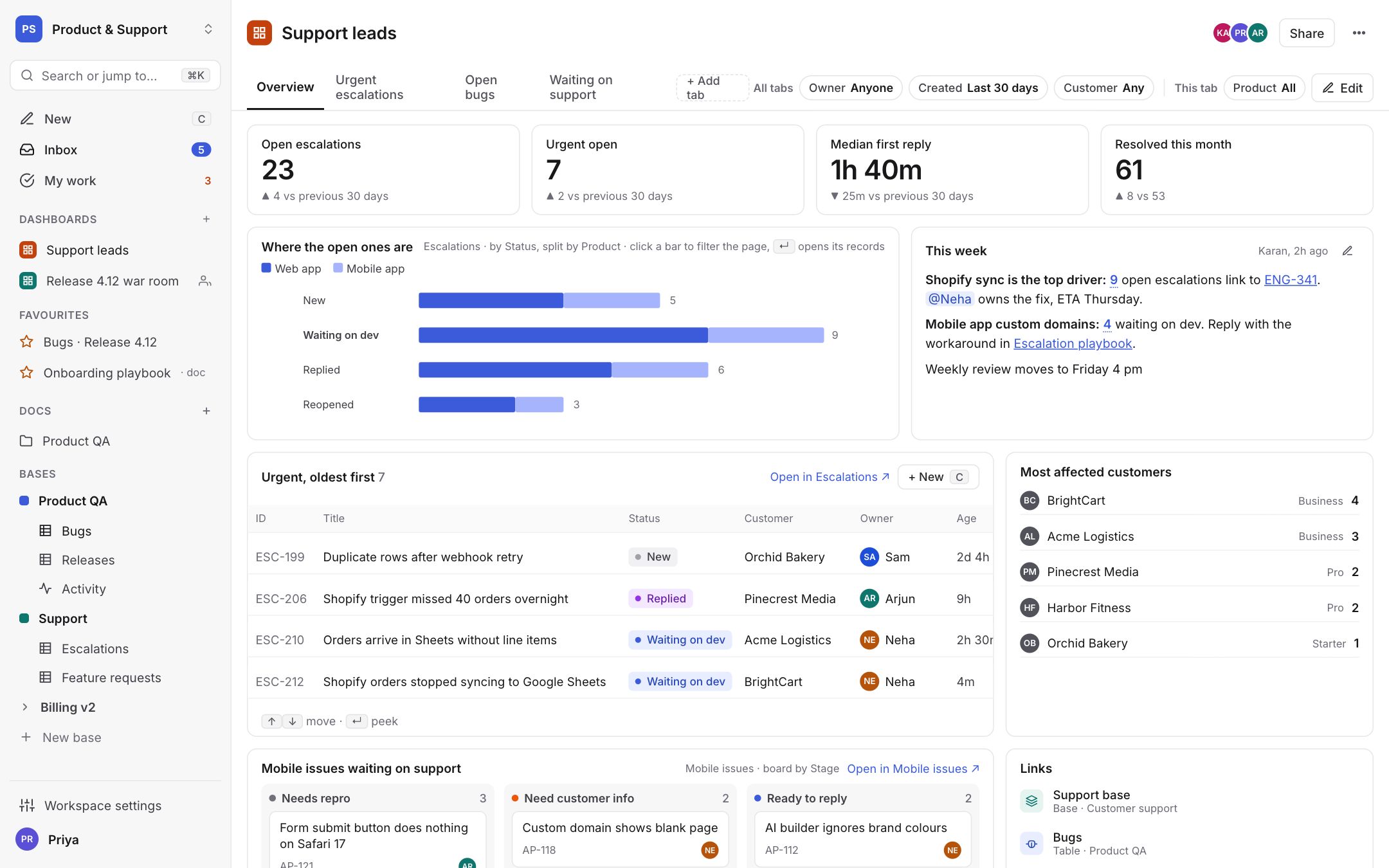
Open the base and its Home is the first tab: the blocks its admin placed. Late to-dos, a few numbers, a timeline, open to-dos by person, links to the base's docs, recent activity. A base with no Home shows an Overview of its tables instead. Every number opens its records. Dashboards
Activity since you last looked
Every base has an Activity page: everything that happened, newest first, by day. A line marks where you last looked, so new sits above old. Comments have a Reply button that answers in place. Three or more quiet days show as one line. Filter by person, table or kind: comments, completed, added, changes, docs, agents.
Five to-dos added by one person in ten minutes are one line, "Vivek added 5 to-dos to In development", that opens.
Everyone's own list
My work gathers your to-dos from every project: overdue, today, this week. Your Inbox gets the comments and assignments. The project keeps its lists; you keep yours.
On the phone
The same list, one column, with a large checkbox on every row and the add line within reach. On your phone