Views
A view is a saved way of looking at a table: which records, in what order, in what shape. The records are the same underneath. Change a status on the board and the grid shows it; tick a to-do and the Dashboard count drops.
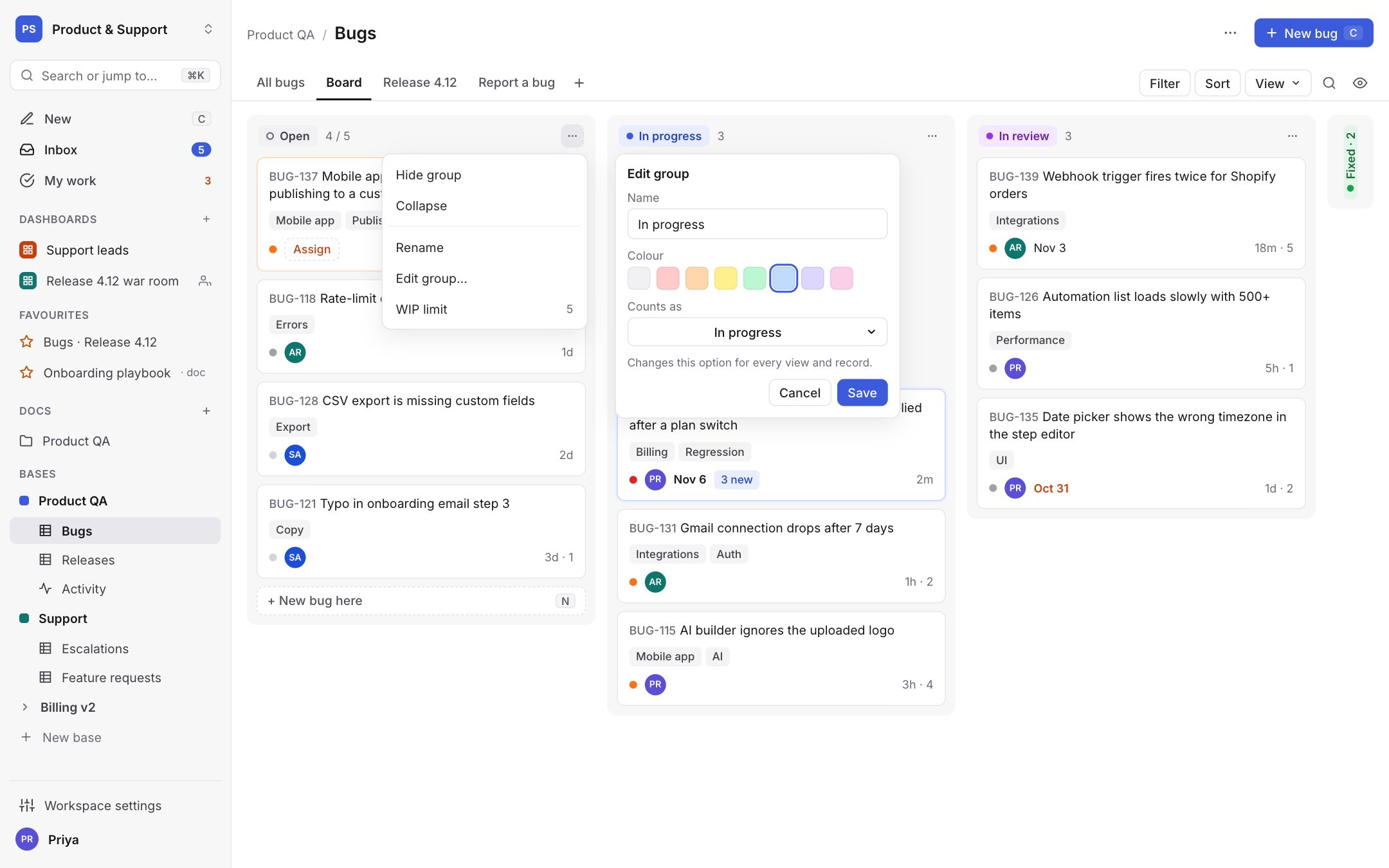
Four shapes
| View | Best for | What you do in it |
|---|---|---|
| Grid | finding and fixing fast | type in cells, paste ranges, fill down, select rows and set a value on all of them |
| Board | moving work along | drag a card between columns; columns come from a picklist, usually Status |
| To-do list | a project's tasks | a checkbox first, lists from a picklist field, type @name or fri on the add line to assign and date it |
| Form | collecting from people who don't open the table | questions in order, a public link, new records land with the status and owner you set |
Narrowing
Filter, sort and group live as chips above the list. Search is always visible. Add a view with + on the tab bar: a new Grid view starts from the filters you have on. Each view remembers its own fields shown, row height, columns and groups. Nothing here changes the records.
Shared or yours
A shared view is on the table's tab bar for everyone with access. A personal view is yours only, marked so. A base Admin switches one to the other from its menu, and can lock a shared view. Anyone can change the filters on a shared or locked view for themselves; the changes stay temporary until you choose Save as my view. Only Admins change the shared view itself.
Views you don't see
A view that only feeds a Dashboard block or an alert can be hidden from the tab bar. It still works everywhere it is used. Delete asks first when something uses the view, lists each Dashboard, alert, webhook or public form, and offers Hide instead.
Hearing about a view
Set an alert on a view and new records that match it give you a row in your Inbox: "new bugs where Component is Billing". Or hand the alert to an agent. Following and alerts