Dashboards and agents on the phone
On a computer a Dashboard is where you work. On the phone you look, then act on one thing. The numbers are the same, each big enough to tap.
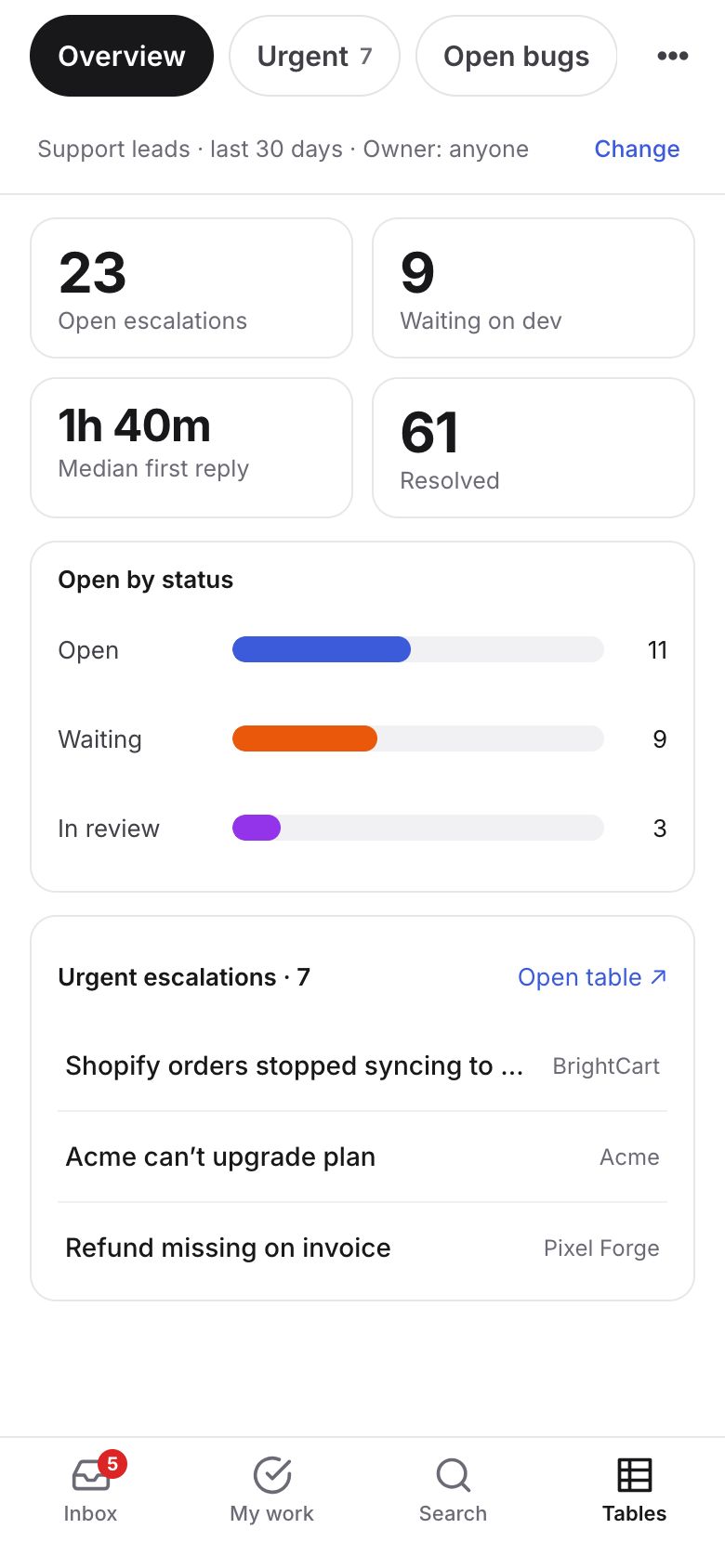
Glance, then tap
The tabs are chips across the top. Blocks stack in the order set in Phone layout, under Edit page on a computer, so the number you check first comes first. Every number and bar is a button: tap it for the records behind it, one row each. Break down by splits that list further. Open the table with this filter kept, or save it as a view. Dashboards
From a row to the place that explains it
Press and hold any row, or a value, and a sheet lists See the records, Filter this page, Open record and, under Open in, each Dashboard and tab that would show it, A to Z. Nothing reorders, so the one you used yesterday is where it was.
A list tab
A tab that is a view shows its rows, and its chip shows the count. The + at the bottom creates a record in the open tab. Open in table, Share, Copy link, Home dashboard and Delete live in ⋯. Editing and reordering tabs say Open on desktop.
Press a button
A record's buttons are 48 px rows under the title, the first full width and the rest two to a row, so a thumb can't miss. Press one and the row shows what it is doing, then a tick, "1 min ago", and an Undo. The new value is in the fields and the press is in the record's activity. A button you can't use says why below it instead of hiding. Run it again from its ⋯. Buttons
Your agents
A proposal is a row in your DoInbox with the changes above two big buttons, Dismiss and Approve, and an Undo after Approve. Swipe right approves, left dismisses. Approve, dismiss, undo
My delegate has its own phone page: three counts, handled in 7 days, waiting for you and undone by you; each rule marked Acts or Proposes; and one control at your thumb, Pause for today, which turns into Resume my delegate. My delegate
Anything an agent needs from you counts on the Inbox tab's badge, so you never open an agent's page to check.