On your phone
Open DoMyWork in your phone's browser and it is the same workspace, laid out for one thumb. Nothing to install. The phone is for reading, replying, moving a status and clearing your DoInbox; building tables and permissions waits for a computer.
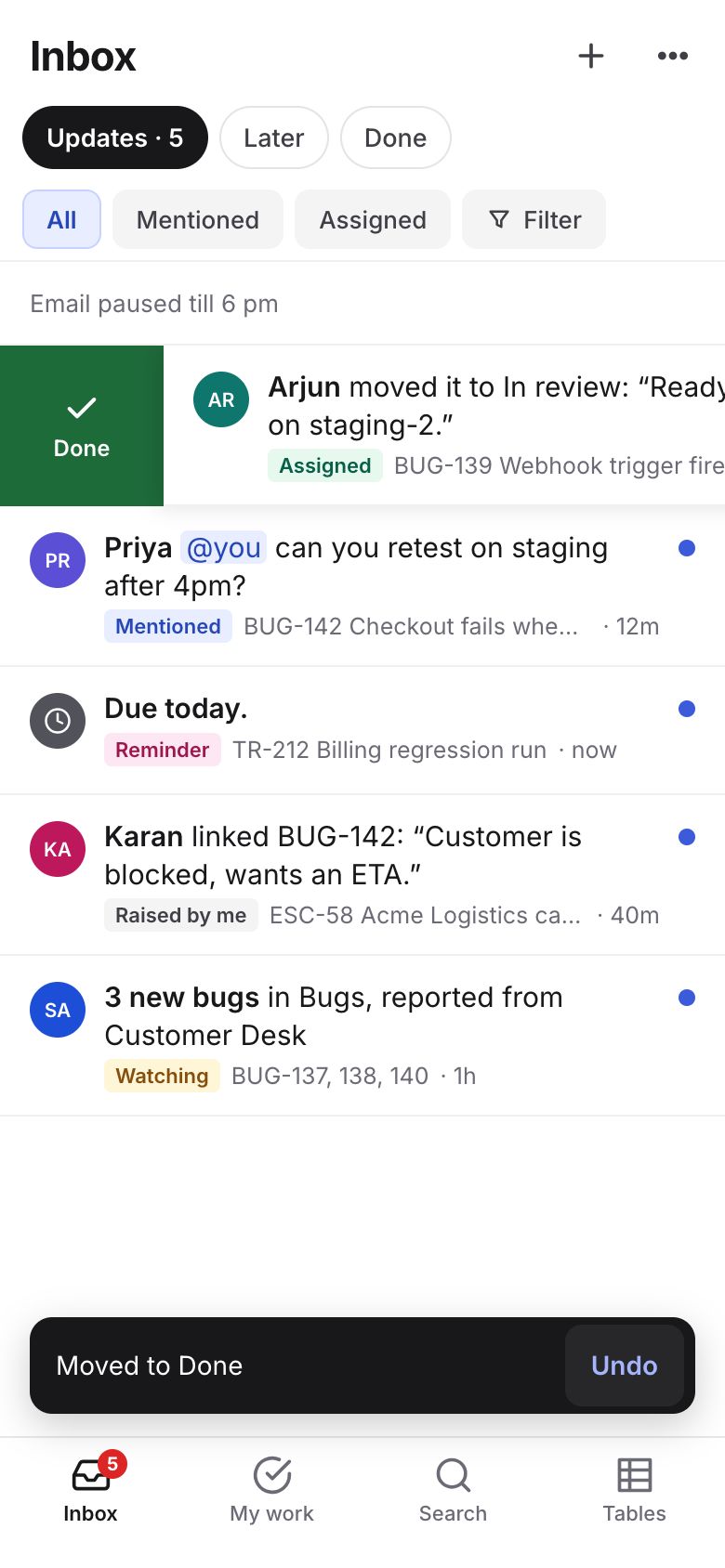
Four tabs
A bar at the bottom: DoInbox with its unread count, My work, Search, Tables. Tables lists DoAgents first, then your Dashboards, your favourites, Docs as its own section, and each base with its tables.
Lists and boards
A table is a card list in the view's own sort: title, two or three fields, the owner's picture. Views are chips across the top. Filter and Sort open a sheet from the bottom, never a dropdown. A board shows one column at a time; hold a card to move it, open it, or assign it to yourself.
The record
A record opens full screen, fields in the order a computer shows them. Tap Status and a sheet lists the stages in workflow order with the current one ticked; one tap closes it, with Undo. Tap a date and you get four quick picks, Today, Tomorrow, the next Monday and Next week, or a calendar. The reply bar stays at your thumb with attach, camera and @. Remind me lives under ⋯.
If a save fails, the field says "Not saved · Retry". There is no offline mode: an edit needs a connection, and tells you when it has none.
Your Inbox, with your thumb
Swipe a row right for Done, left for Later, each with Undo above the tab bar. Tap a row and the record opens with the reply box focused; Done there takes you to the next unread, so a morning's rows clear without going back to the list. The Filter chip opens a sheet: Alert, Reminder, Raised by me, one base. Why you stop reading email about work
Search
The Search tab opens with the keyboard up. Results come by table, with comment matches too, and the last row always offers to create a record from what you typed.
What stays on a computer
Settings show your name, pause emails, and the members list, read only. Table settings let you add or rename a field; layout and access say "Open on desktop" with a link to copy.
Next: Capture, remind, tick and Dashboards and agents on the phone.