Dashboard filters, dates and sharing
A Dashboard with five tabs should not make you pick the owner five times. Page filters sit in one bar above the tabs, keep their value as you switch, and every block with a matching field follows.
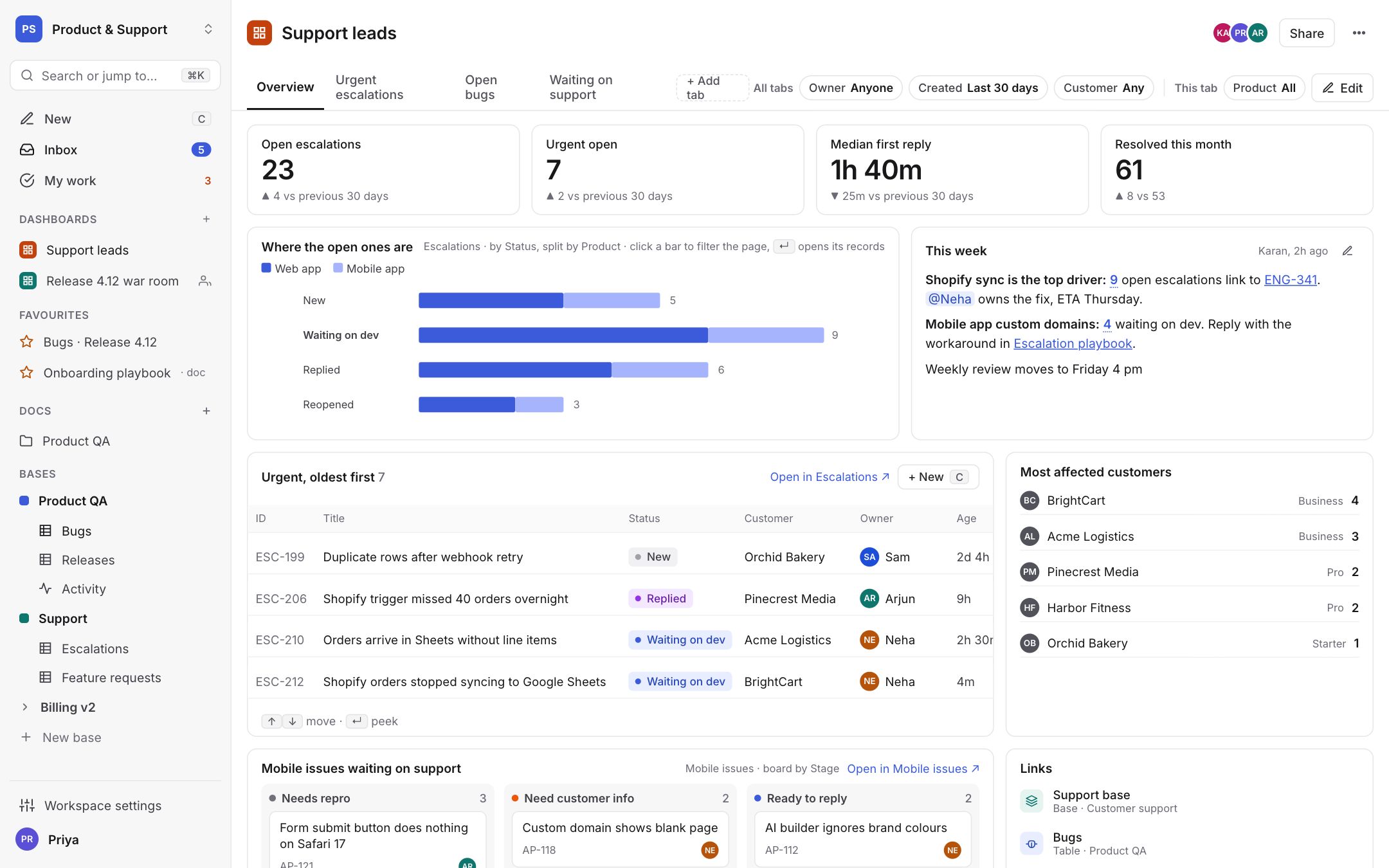
All tabs, or this tab
A filter applies to All tabs, in the bar above the tab row, or to This tab, in the tab's own row. Move one between the two and it keeps its value. A filter only reaches the blocks it matches; a tab with no Owner field is left as it is, and the filter's panel says so and offers the nearest field. See which lists every block with a switch.
Dates
A date filter takes a range, This week or 1–7 Nov, and every number, chart and list on the page agrees on it, in your time zone. Numbers then offer Compare with last period. On a review page, a week stepper moves the whole Dashboard back a week at a time; Reset puts the owner's starting values back.
Your changes stay yours
Changing a filter changes nothing for anyone else. The link keeps the current values, so a copied link opens the exact page you were looking at.
Letting other Dashboards open this one
Turn on Drill-through in a filter's More options, and other Dashboards and tables offer "Open in" this one wherever that filter's value appears. Offer it from everywhere, or only from the Dashboards you name. Dashboard blocks and drill
Adding a tab
Add tab lists the views you can open; Enter makes one a tab. Any view's menu has Add to Dashboard too.
Editing
Edit page changes the whole Dashboard, with a named Undo for each change. Only editors see the draft until you press Done. One person edits at a time; others see "Tyler is editing" and keep the published page. Phone layout orders the blocks for a phone.
Sharing
A Dashboard belongs to you until you share it. Editors change its tabs and blocks; viewers open and filter it, and the filters they change stay theirs. A tab shows only to people who can open its view, so sharing never leaks a Private base. Remove a tab and Undo brings it back whole, for the person who removed it, for a day. Sharing