The board
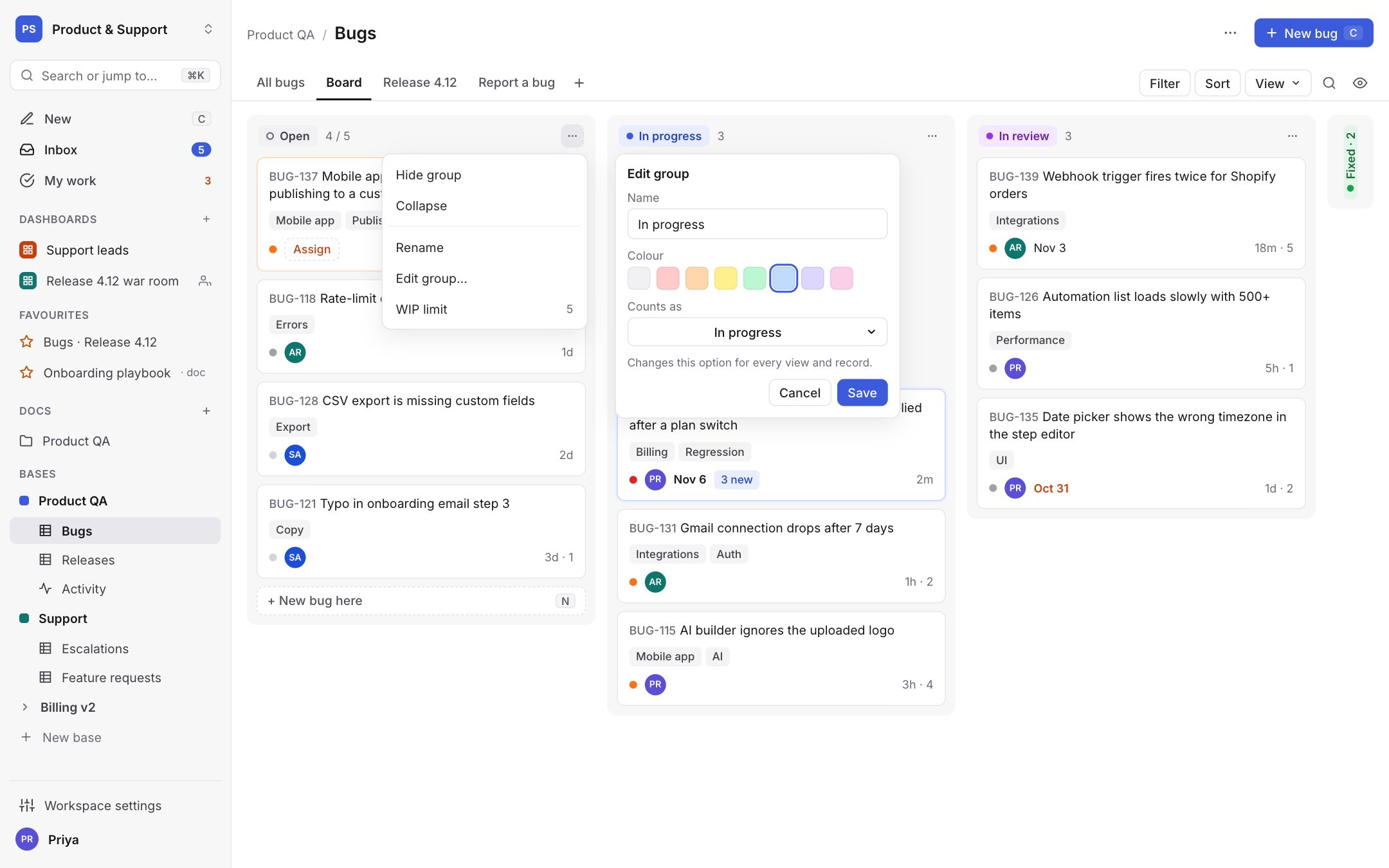
A board shows the same records as the grid, as cards in columns. Drag a card and its status changes. Nothing else is different underneath, so the grid, the Inbox and every Dashboard see the move at once.
Columns come from a field
Usually Status. Any picklist works: by Stage for hiring or a sales pipeline. Pick it in the View menu. The columns are the field's choices, in the field's order; add a column and you add a choice.
What a card shows
The title, a priority tag, the assignee, a short date, and a dot on cards you follow with comments you have not read. Choose the fields in the View menu; keep cards lean enough to scan.
Each column has a menu
- Hide group removes a column you do not work from, like Closed.
- Collapse it to a thin bar with its count.
- Rename it, which renames the choice everywhere.
- Edit group sets the name and colour and, on a status, whether it counts as open, in progress or done. Rename and Edit group change the field's choice, so they are for people who manage the table's fields.
- WIP limit sets how many cards the column should hold. Past the limit the count is flagged and moving a card in shows a warning. It warns; it does not block.
Done is a category
Every choice of a status picklist counts as Open, In progress or Done. That is how a ticked to-do, a closed bug and a won deal all count as finished in My work and on Dashboards, whatever the column is called. Fields
On the phone
One column at a time, with column pills to swipe between. Long-press a card for a sheet with Move to, and to open the record. Your phone