Sharing, Private and Open bases
Access is set on the base, the folder that holds an area of work. Decide who is in once; every table and view follows.
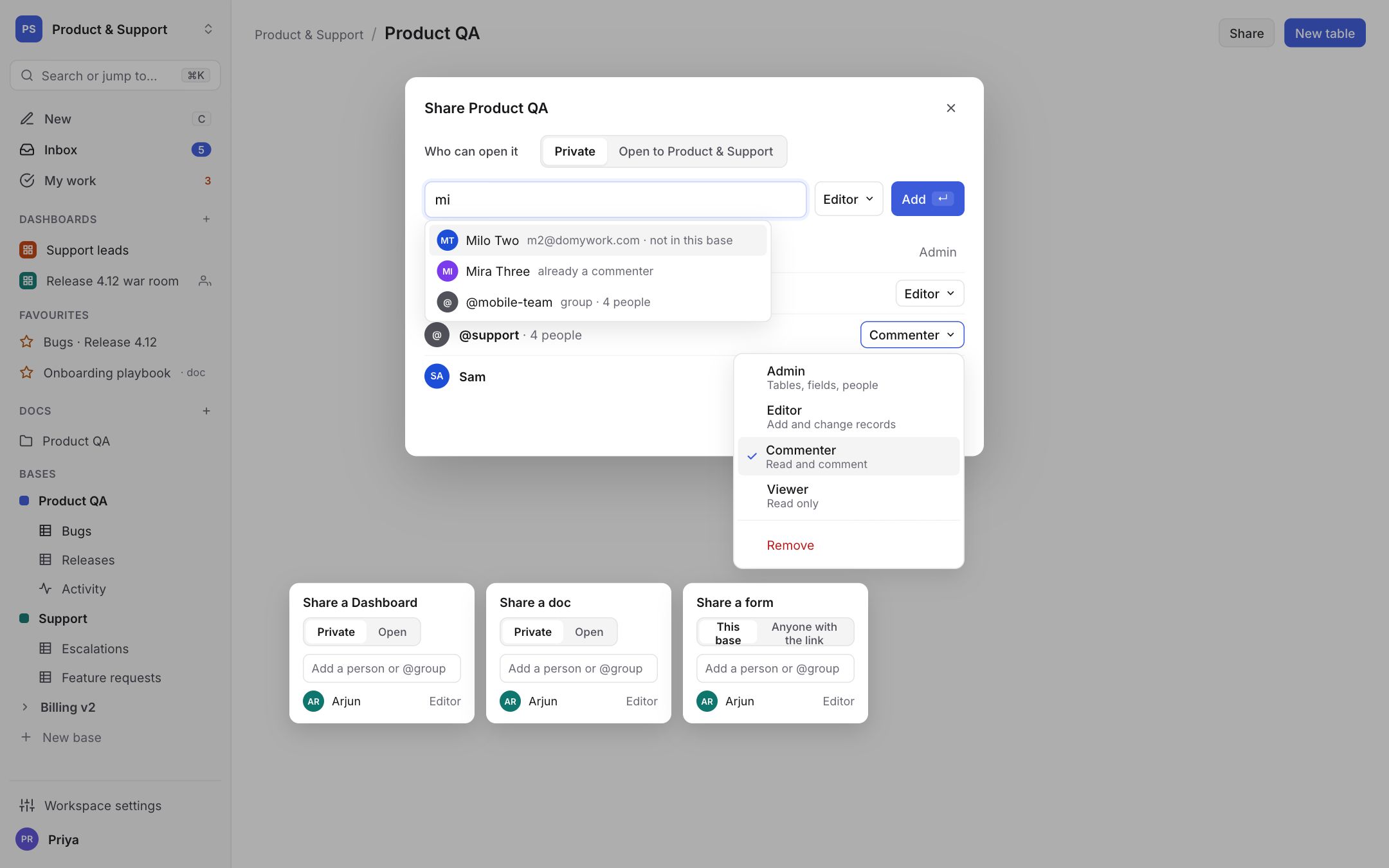
Private or Open
A Private base is seen only by the people you add; to everyone else in the workspace it does not exist, in the sidebar, search or links. New bases start Private.
An Open base lets everyone in the workspace in with a default role you pick, and you still add people with a higher one.
Four roles
| Role | Can |
|---|---|
| Admin | everything in the base: tables, fields, views, people, visibility, delete it |
| Editor | add, change and delete records, comment, change shared views, import |
| Commenter | read, comment, react, follow |
| Viewer | read |
A person's role is the highest they hold: their own, their groups', or the base's default. Rarely, one table needs a different level, such as hidden below Admin. A base Admin sets that on the table, per role, never per person.
Before the base: the workspace
Nobody sees anything without being a member of the workspace. Company admins, and workspace owners and admins, add people and invite them by email; when membership ends, access stops. A linked record you cannot see shows as "1 restricted record", nothing more.
The same Share, everywhere
- A view is shared on the tab bar or personal. Lock a shared view and others get Save as my view.
- A Dashboard has an owner, editors who change its tabs, and viewers. A tab shows only to people who can open its view.
- A doc is private to its owner until shared. Docs live in one tree at the top of the sidebar, never inside a base. Share one with a person, a group, Everyone at your company, a workspace or a base, at Can view, Can comment or Can edit; for a workspace or a base, "Same as their role" gives each member what their role allows. Sub-docs share with it unless marked Private. Share a doc
- An agent is Only me, People I pick, Everyone in a workspace, or Everyone in the company. People you pick get Can edit it, Can use or Can see runs. Sharing the agent does not share its bases.
- A base with an agent works like adding a person, with one extra switch for personal data such as names and email addresses. People and agents