Fields
A field is one fact about a record. Its type decides how it is entered, filtered, sorted and shown. Pick a specific type over text when one exists: a date sorts, a picklist groups, a people field notifies.
The ones that do more than hold a value
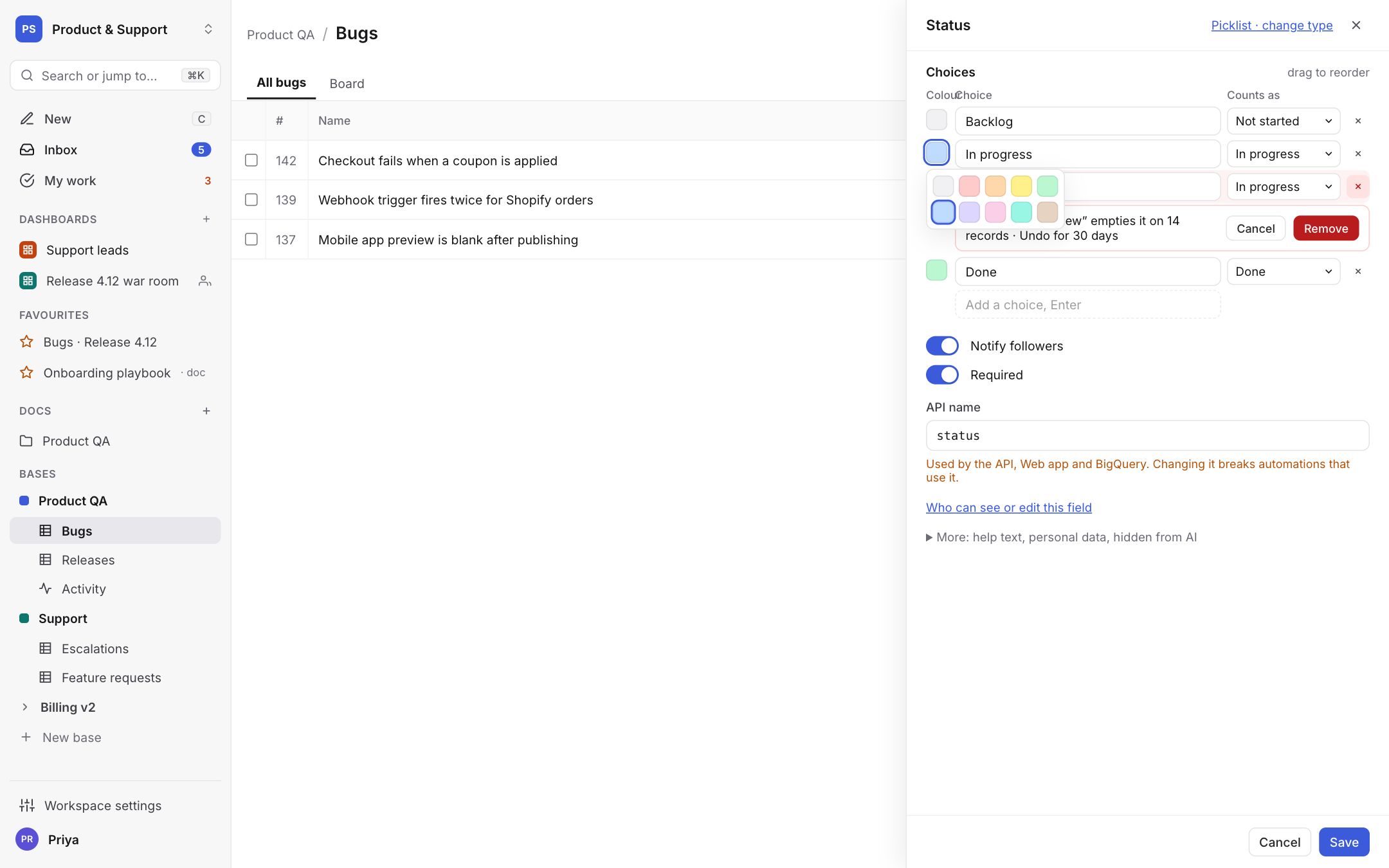
- Status, a picklist with categories. Turn on Track progress and every choice counts as Open, In progress or Done. That is how the Inbox, My work and Dashboards know what "closed" means in every table.
- People. One or many people, and groups if you allow them. Whoever is added follows the record; a switch decides whether they are also notified. Assignee and Reviewer are people fields.
- Tags. Many values with colours; add one as you type. Shared by this table only or by the whole base.
- Link. To one or many records of another table, or the same one. It shows on both sides: add Releases to Bug and every Release lists its Bugs. The record page shows linked records as a section with its own columns. Links between tables
- Button. A cell that runs actions for the record, usually a connection's tool: create the issue, send the message, refund. Buttons
- Attachment. Files and screenshots. One pasted into a comment shows under Files.
The plain ones
Text, long text, number, currency, percent, checkbox, date, date and time, email, phone, URL. Auto-number, formula and rollup fill themselves. Every field type lists how each filters and sorts.
Settings that matter
- Notify followers. On a field like Status or Due, a change gives followers a row. Leave it off where nobody needs to hear.
- Required. Forms and New stop until it is filled.
- Changing a type. Open the field and choose Change type. Text can become number, date, picklist and more; number, currency and percent convert among themselves; link, people, attachment and auto-number never change. Values that cannot convert are left empty and kept for thirty days: Undo, or Restore values from before the change in the field menu. Tables over 50 000 records cannot change a type.
Where a field shows
Drag fields on the record page to put what matters first. Each grid view shows the fields you pick. Rename a field any time; its API name stays unless you change it, which breaks scripts that use it.